Ungating
Check whether your account is already approved to sell a brand or ASIN, free, before you spend a dollar buying it.
What this page is
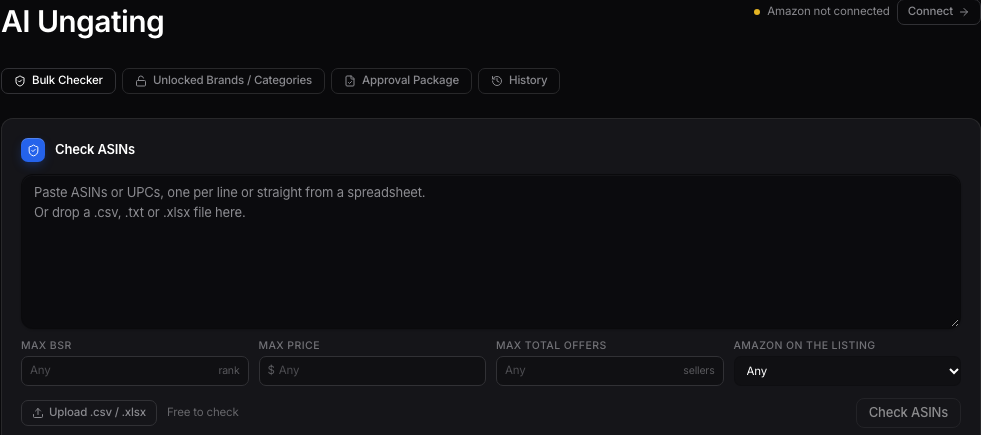
Ungating is listed in your sidebar as AI Ungating, and the page itself is a bulk ASIN ungating checker. Paste in ASINs, one or a thousand, and it tells you right away whether your account can sell each one.
Checking ASINs
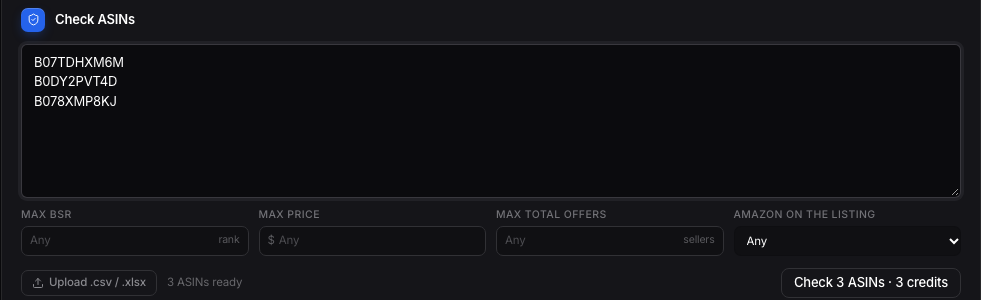
Paste a list of ASINs into the box, or upload a sheet and the tool will find the ASIN column for you. Checks are free, the page tells you plainly, no credits spent just to see where you stand on a brand.
Reading the results
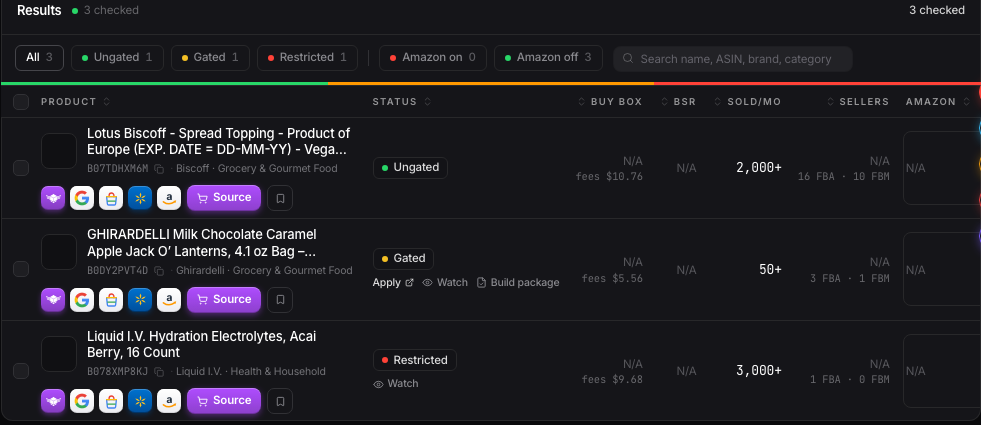
Every ASIN comes back as one of three states: open, gated, or restricted. Open means list it right now. Gated or restricted means you'd need approval first, and the row links straight to what that approval actually requires.
The Access Map and acting on it
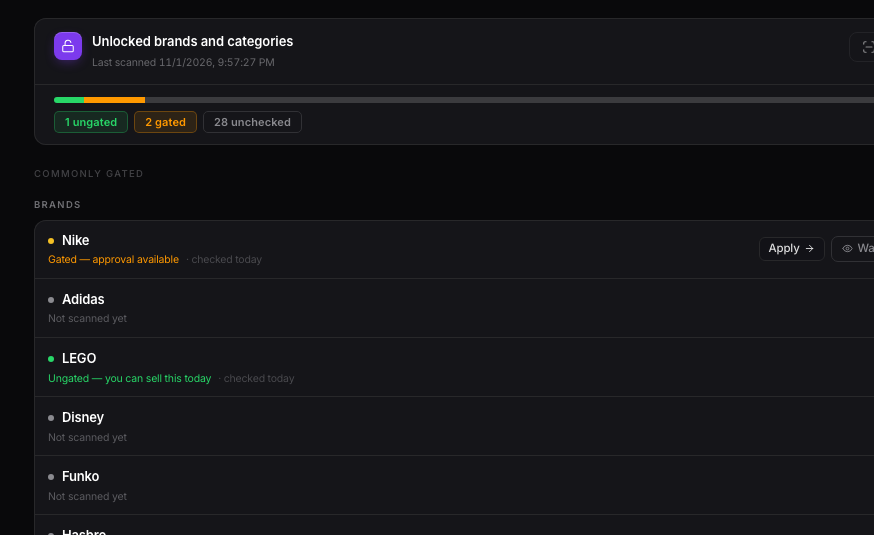
Scroll down to the Access Map to see your account's access laid out by category, not just by ASIN. For anything that comes back open, you can source it or save it to the Vault right from the same row, or select a batch of rows and do both at once.
Want to use this tool on your own catalog?
See plans