Today's Leads
Where to see the verified products 247profits already found for you today, with ROI and profit filters built in.
What this page is
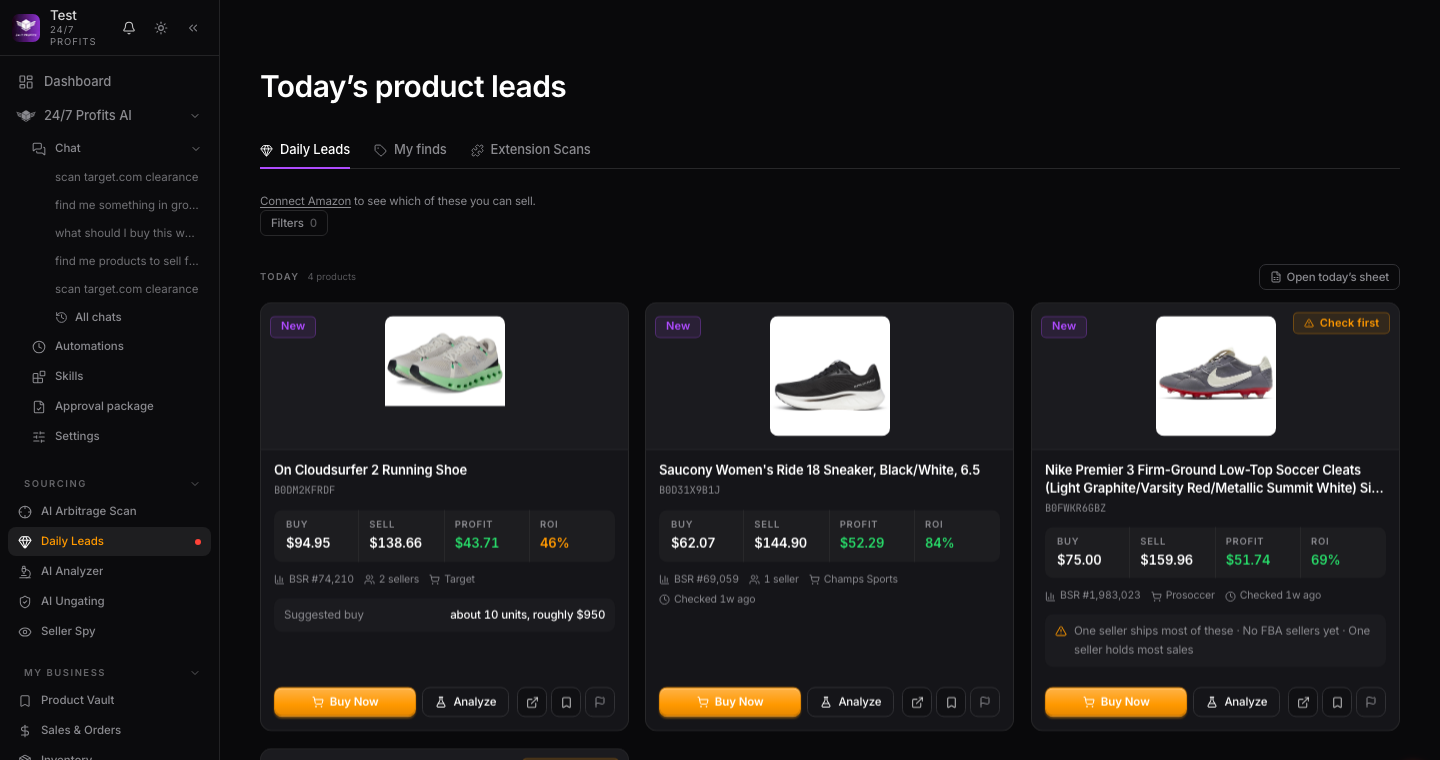
Today's Leads lives at Daily Leads in your sidebar. It's a feed of products we've already matched to Amazon, graded, and checked against your own filters. Nothing to run, nothing to wait on. It's updated with a new list every morning.
The three tabs
At the top of the page you'll see three tabs: Daily Leads, My finds, and Extension Scans. Daily Leads is the shared feed every student sees. My finds is everything your own store scans have turned up. Extension Scans is what the Chrome extension picked up while you were browsing a supplier's site.

Reading a card
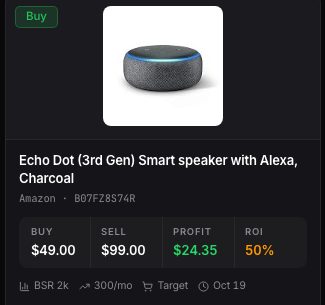
Each product card in the feed shows the item, a verdict pill (BUY or MAYBE), and the numbers that back it up. Tap into a card to open it in the AI Analyzer for the full breakdown.
Filtering the feed
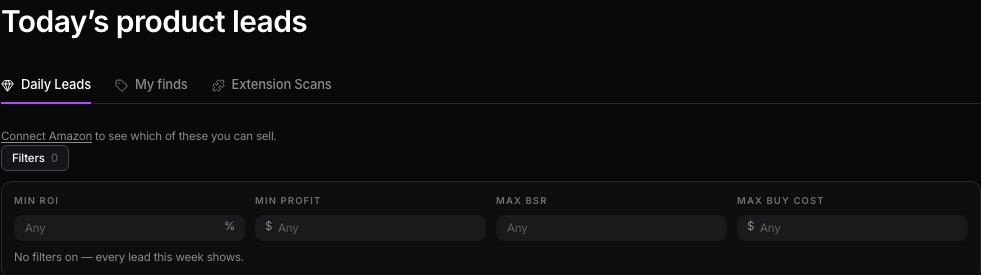
Click Filters at the top of the feed to set a minimum ROI, a minimum profit, a max BSR, or a max buy cost. The count on the Filters chip tells you how many leads clear what you've set. Clear filters resets everything back to the full list.
Want to use this tool on your own catalog?
See plans