Product Analyzer + Keepa
Paste an ASIN, a UPC, or a keyword and get the full profit, demand, and Keepa price history breakdown on that one product.
What this page is
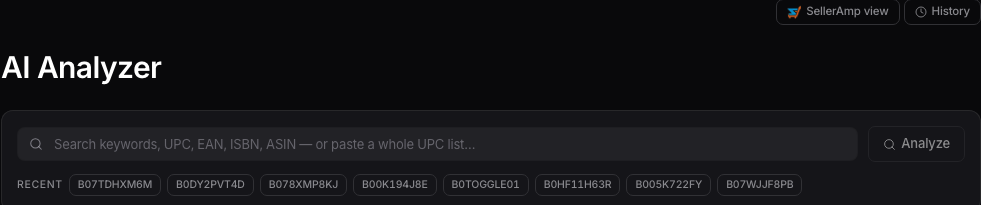
In your sidebar it's listed as AI Analyzer, and that's the name on the page too. It's your deep-dive tool for one product at a time. Paste an ASIN, a UPC, EAN, ISBN, or a keyword, and it builds a full read on that listing.
Running an analysis
Type or paste into the search bar and hit Analyze. A straight ASIN opens the full deep-dive. A keyword or UPC brings up a results list first, SellerAmp-style, so you can pick the right listing before you commit.

The Keepa chart
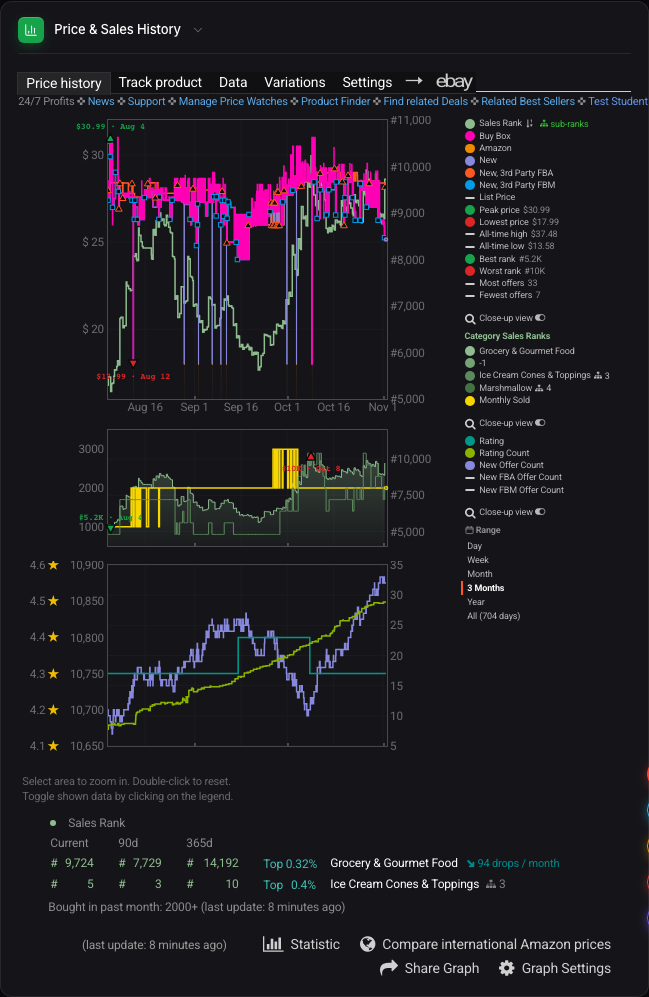
Once a product loads, the analysis includes the Keepa-backed price and sales history chart. It's the same chart Keepa itself shows, built right into the page, so you can see how price and sales rank have moved without opening a separate tool.
Buy Box and sourcing
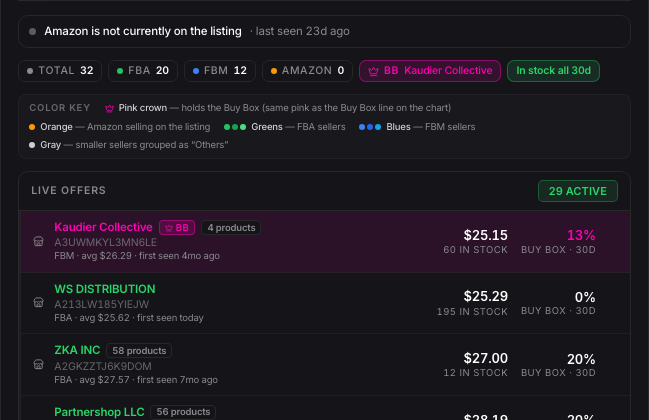
Below the chart you'll see the Buy Box breakdown, who's winning it and how often, plus a Source panel that goes and finds retail listings for this exact product so you can see where to actually buy it.
Switching views
If you'd rather see the same product laid out in SellerAmp's row-by-row style, click SellerAmp view in the top right. It remembers which view you used last time you come back.
Want to use this tool on your own catalog?
See plans